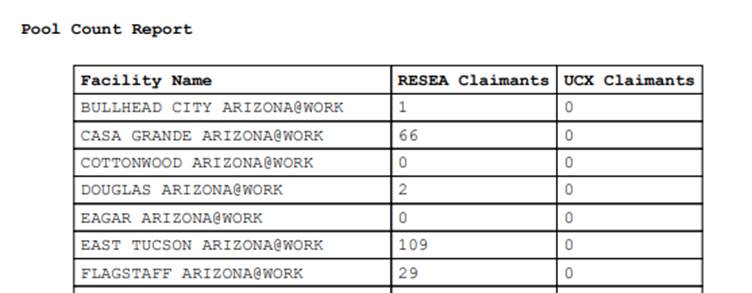
Pool Count Report
Administrators and supervisors can view or print a Pool Count Report. The report displays the number of claimants in the profiling pool who are waiting to be scheduled for an orientation by program and office.
Navigation
-
From the left-hand navigation menu, click Admin Tasks.
-
Click the ReEmployLink tab.
-
Click the Pool Count Report tile.
View Pool Count Report
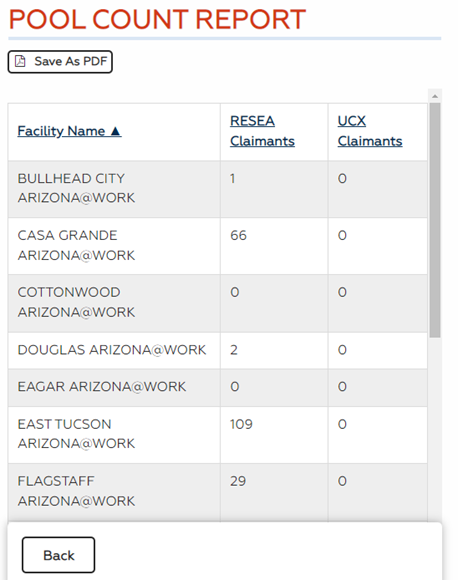
- The Pool Count Report displays and is sorted by Facility Name in alphabetical order. Click a column name to sort by that column in ascending order; click it again to sort in descending order.
- Click Save as PDF to download and save a PDF copy of the report.
- Use the browser print function or the PDF to print the report.