Weekly Orientation Schedule Info
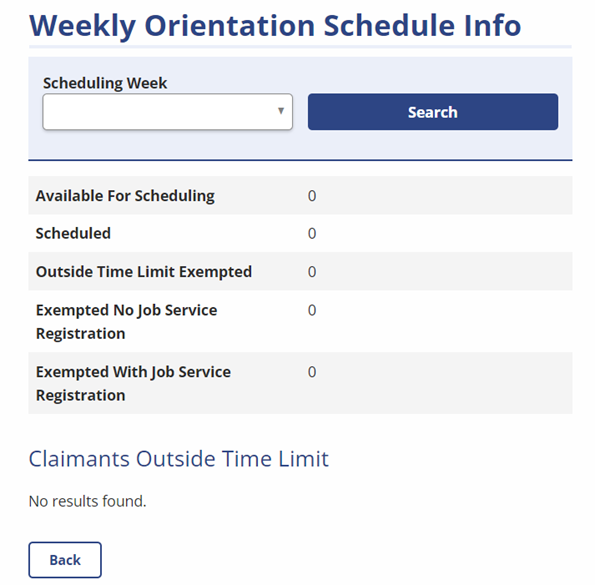
Administrators can view the weekly orientation schedule for a specific scheduling week, and a list of claimants outside time limits.
Navigation
-
From the left-hand navigation menu, click Admin Tasks.
-
Click the ReEmployLink tab.
-
Click the Weekly Orientation Schedule Info tile.
View the Weekly Orientation Schedule Info
- Select a specific Scheduling Week from the drop-down list, and then click Search.
- The page will display a number of claimants for each area.
- Available For Scheduling
- Scheduled
- Outside Time Limit Exempted
- Exempted No Job Service Registration
- Exempted With Job Service Registration
- In the Claimants Outside Time Limit section, click a column heading to sort by:
- Claimant Name
- Participant ID
- BYB
- Expire Length
- Click Back to return to the Admin Tasks page.