Heard About Options
The Heard About options display on the Create a Job Seeker Account for job seekers and employers. The purpose is to ask new users how they heard about AJL.
The Heard About function is controlled by an application variable: activateheardabout. Setting the value to No suppresses the Heard About function in AJL. If the value is set to Yes, Heard About is not suppressed and can be managed in Admin. Options can be added and edited, and the status can be set to Active or Inactive. Heard About can be always active, or activated to assess specific outreach initiatives, but to manage Heard About in Admin, the value for activateheardabout must be set to Yes. Additionally, the entire section can be deactivated.
Edit Heard About Options
- From the left-hand navigation menu, navigate to Admin Tasks > Admin tab > Heard About Options tile. The Heard About Options list displays.
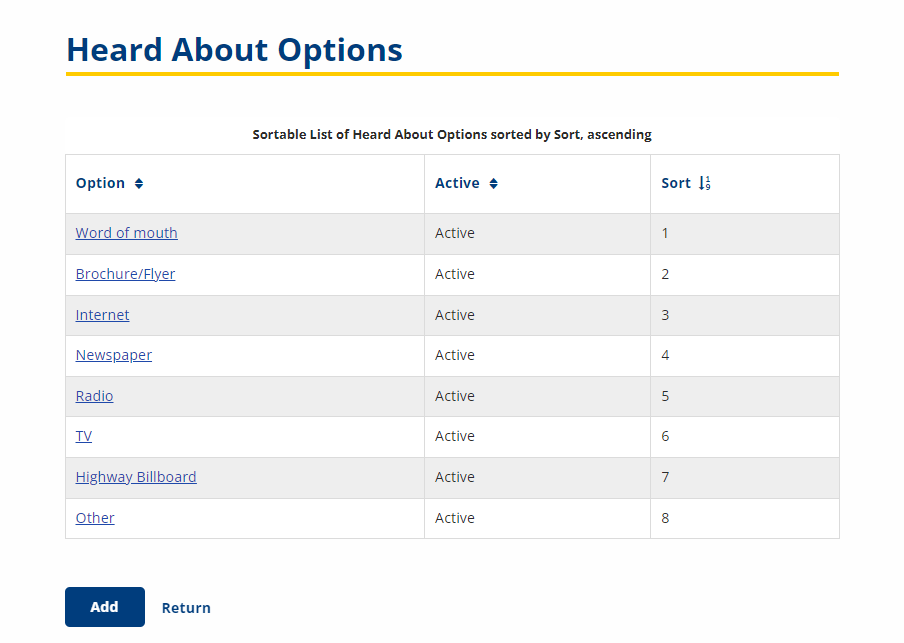
- Click the link of an option. The Edit Heart About Option page displays.
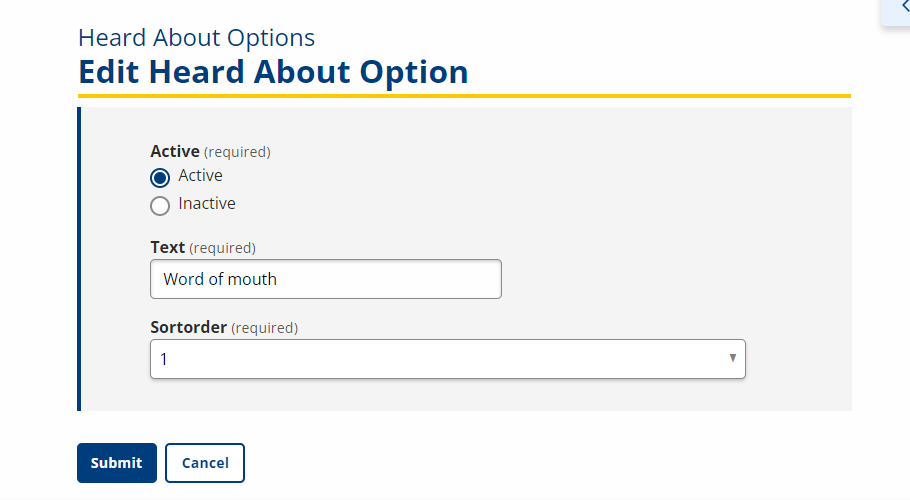
- Edit the following content:
- Active: Drop-Down; Inactive Heard About Options do not display on the Create a Job Seeker Account page, but remain on the Heard About Options list and can be reactivated at any time.
- Text: Text; Type the name of the option.
- Sort Order: Drop-Down; Select a number from the Sort Order dropdown.
- Click Submit.
Add New Heard About Option
- From the left-hand navigation menu, navigate to Admin Tasks > Admin tab > Heard About Options tile. The Heard About Options list displays.
- Click Add. The Add Heard About Option page displays.
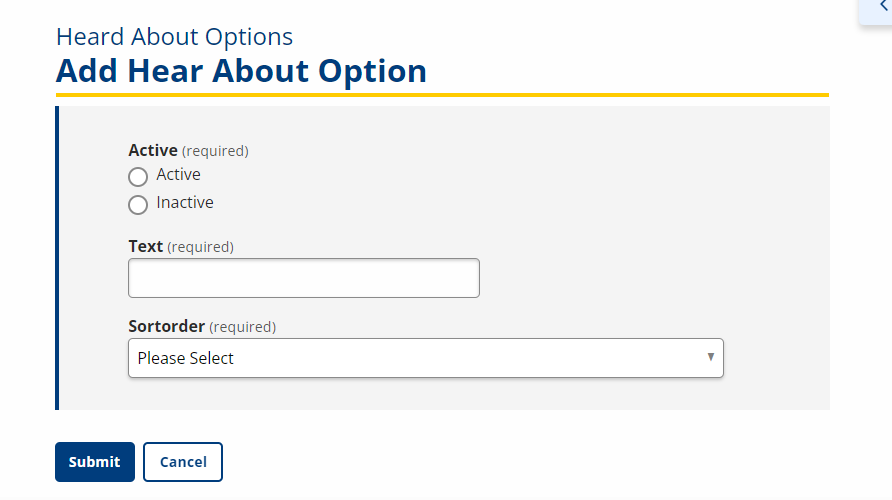
- Provide the following information:
- Active: Drop-Down; Inactive Heard About Options do not display on the Create a Job Seeker Account page, but remain on the Heard About Options list and can be reactivated at any time.
- Text: Text; Type the name of the option.
- Sort Order: Drop-Down; Select a number from the Sort Order drop-down.
- Click Submit.