Expiring Job Postings
The Expiring Job Postings page provides the ability to quickly view all expiring and pending job postings.
Navigation
-
In the left-hand navigation menu, click Employer. The Employer page displays.
-
Select the Expiring Job Postings tile.
Manage Expiring/Pending Job Postings
- The Offices page displays with the Offices with Jobs Expiring Soon tab. The list is sorted by the number of expiring jobs by default. You may also select a different tab if needed:
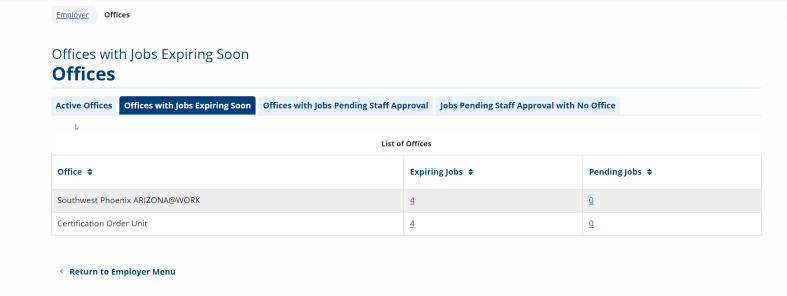
- The Active Offices tab displays a list of all active offices.
- The Offices with Jobs Pending Staff Approval tab displays a list of active offices with jobs pending staff approval. The list is sorted by the number of pending jobs by default.
- The Jobs Pending Staff Approval with No Office tab to view a list of pending jobs that do not have an associated office.
- Click a hyperlink in the Expiring Jobs or Pending Jobs column for a specific office location. The Job Postings page displays with a list of the expiring/pending jobs in that office. From the Job Postings page you can manage a job posting.